Due to the cumbersome process of configuring SSL certificates for EasyPanel virtual hosts, if you are unsure how to operate or find it troublesome, you can submit a ticket within the site or contact customer service for assistance.
Limited by EasyPanel’s design, a single virtual host can only be configured with one SSL certificate. If you have bound multiple domains, please apply for a multi-domain SSL certificate.
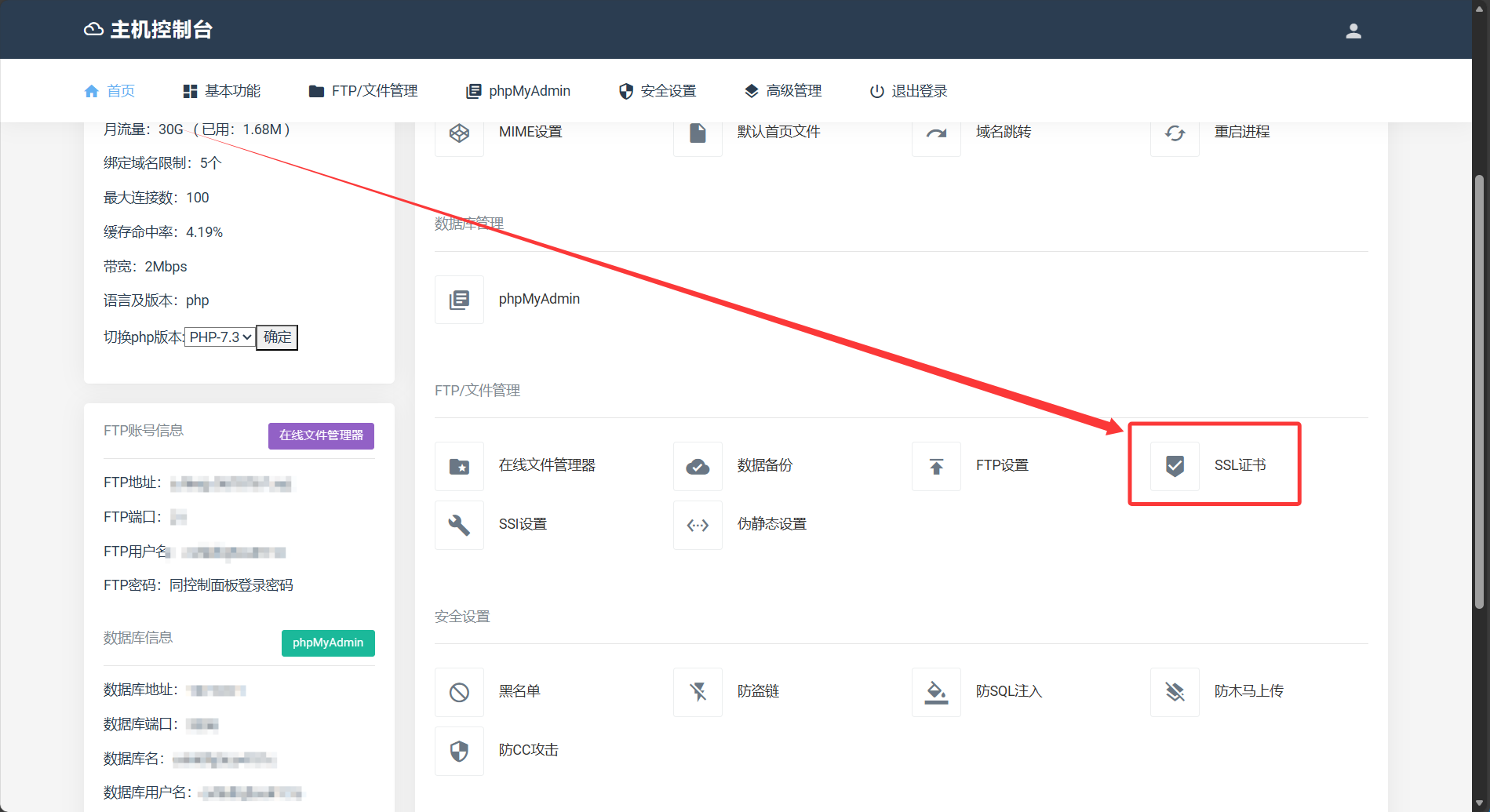
Log in to the virtual host control panel via the console.
Click on SSL Certificate
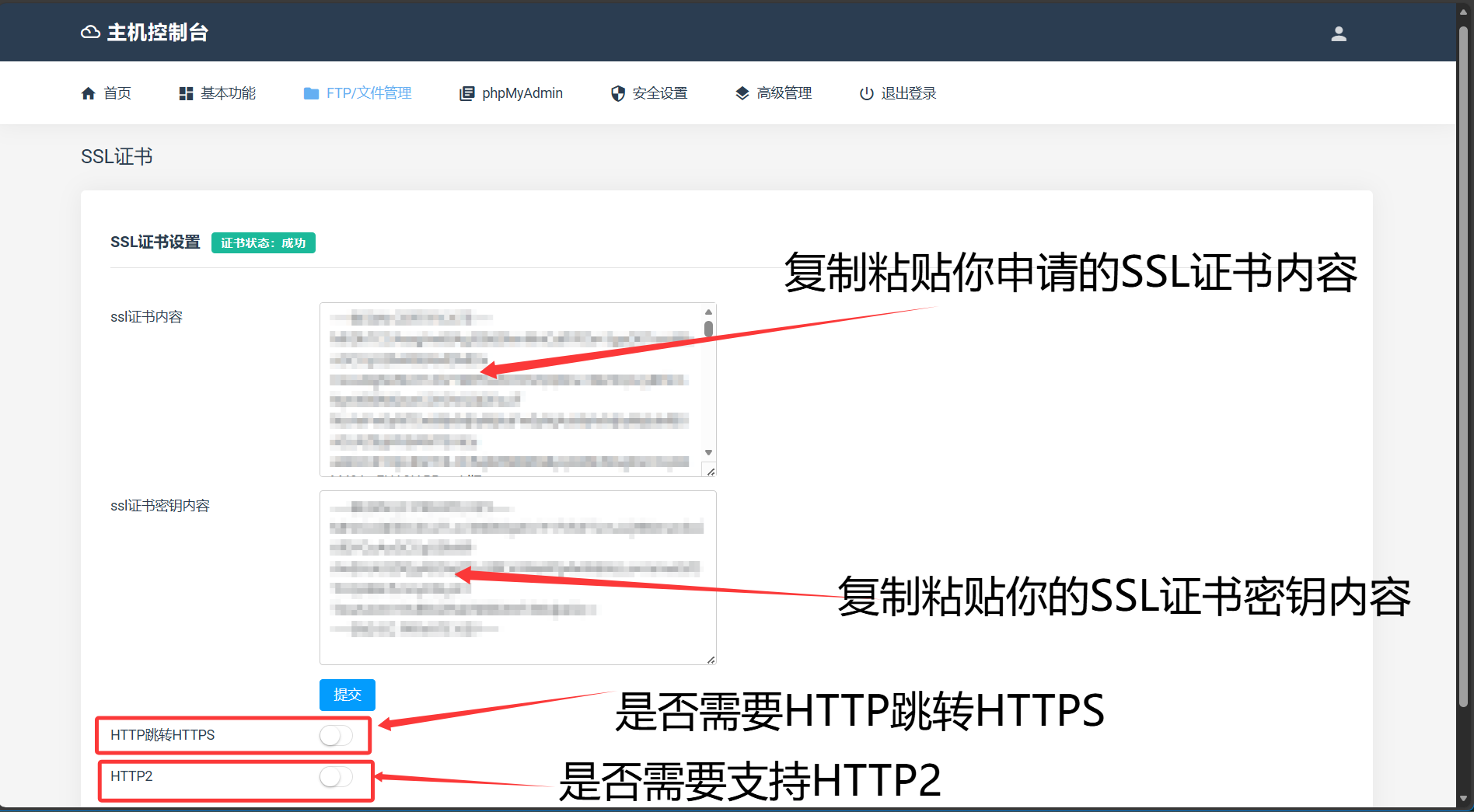
After completing the operation, click Submit.