Operation Scenario
This article will guide you on how to deploy the Baota Panel on a server, using a Linux server as an example.
Prerequisites
- The server has no existing web environment installed; it is a clean system.
- The server can connect to the internet normally.
Operation Steps
-
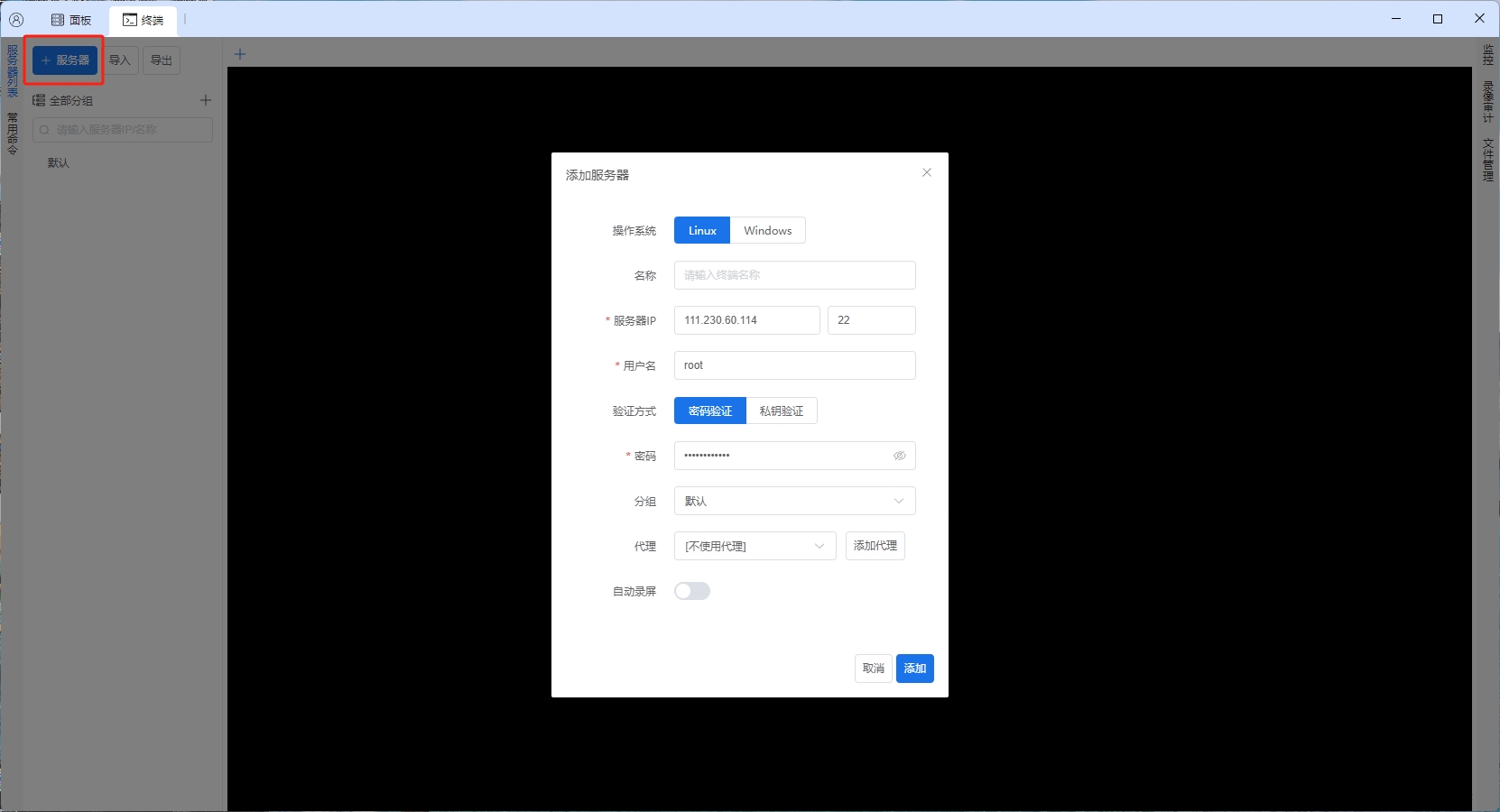
Use
After adding, double-click the added machine to log in:SSHto log in to the server. You can use the Baota Multi-Machine Management tool to connect. -
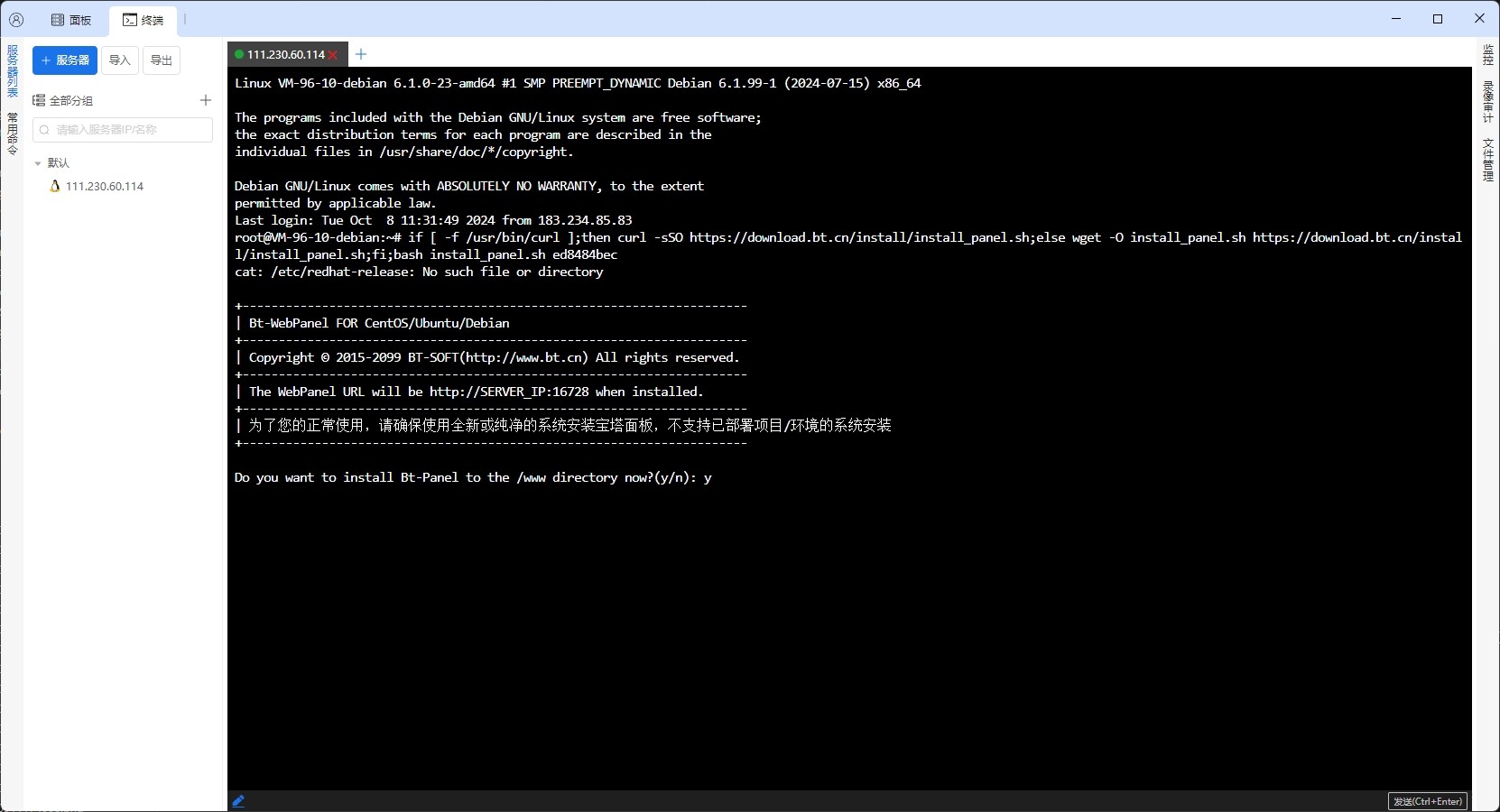
After logging in, copy and paste the panel installation command below and press Enter to execute.
Note
Official version installation command:
if [ -f /usr/bin/curl ];then curl -sSO https://download.bt.cn/install/install_panel.sh;else wget -O install_panel.sh https://download.bt.cn/install/install_panel.sh;fi;bash install_panel.sh a65437f -
After the installer runs, it will prompt
Do you want to install Bt-Panel to the /www directory now?(y/n). Enteryand press Enter to confirm, then wait for the panel to install automatically. -
After installation is complete, the terminal will display relevant login information, as shown in the figure below.
-
Access the panel via a browser to log in.
During the login process, you might see the following prompt. ClickAdvanced, then selectProceed to....Note
- Before logging into the panel, please ensure the security group or firewall provided by your server vendor has properly allowed the ports indicated in the prompt.
-
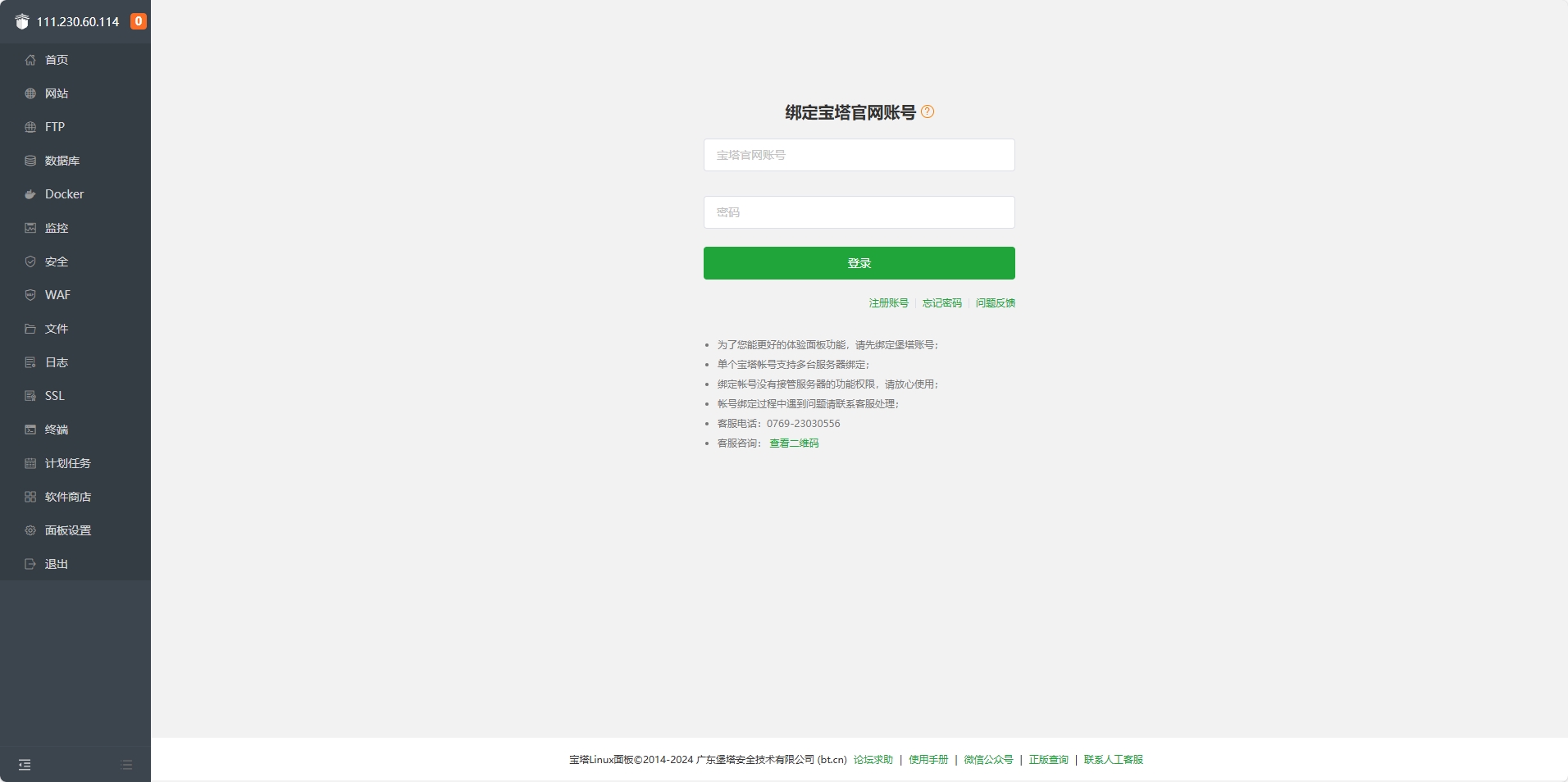
After successful login, you will see the following interface:
- User Agreement: Please read the user agreement carefully, click
I have read and agree, then clickEnter Panel. - Bind Baota Official Account: Enter your Baota official website account and password, then click
Login. If you haven’t registered a Baota official account yet, please register first.
- User Agreement: Please read the user agreement carefully, click
-
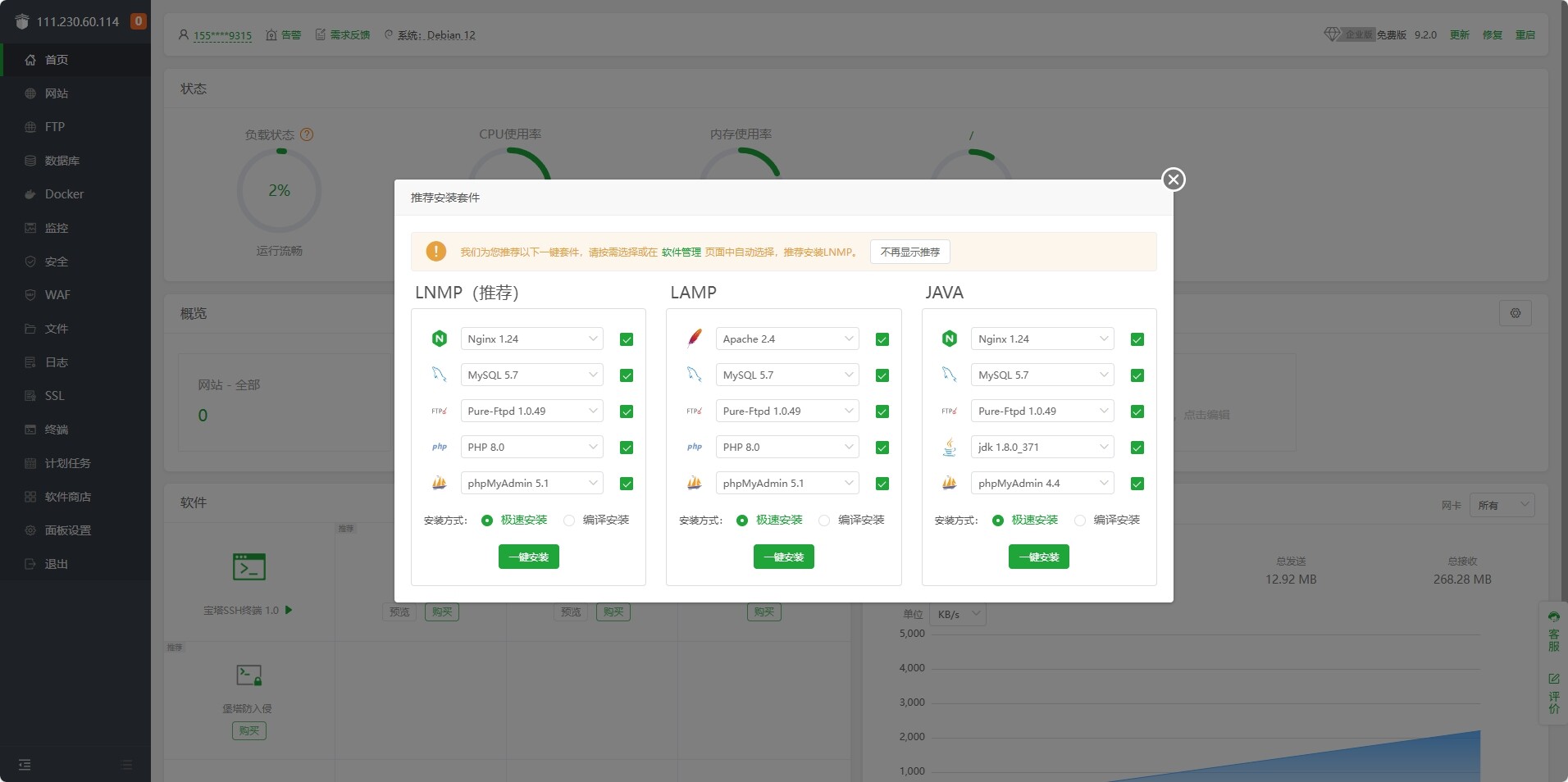
After entering the panel, you will be prompted to install the basic environment. It is recommended to choose
LNMP. You can also skip this step and install it later in theSoftware Store. -
You can go to
Panel Settingsto modify the default panelusernameandpassword. -
At this point, the Baota Panel has been successfully installed.